HoldSay vs Otter.ai: Local Notes Without a Meeting Bot

HoldSay is a bot-free Otter.ai alternative for meetings you attend on your Mac or Windows PC. It records your voice and the voices from the call, then creates a local transcript and summary without a monthly minute allowance. Otter is designed for delegated attendance, live cloud collaboration, mobile access and integrations.

HoldSay and Otter.ai.
HoldSay and Otter.ai at a glance
| Category | HoldSay | Otter.ai |
|---|---|---|
| Meeting capture | Bot-free recording for meetings you attend directly on your computer | Notetaker can join as a visible guest. Other capture options are also available |
| Where is content processed? | Locally on your Mac or Windows PC, under your control | In Otter's cloud service |
| Attendance model | You control recording from your own computer, so the meeting and archive stay in your hands | Notetaker can be scheduled for supported meetings, including meetings you do not attend |
| Sharing and collaboration | Export and share the original audio, transcript and summary through the tools your team already uses while the source files stay on your computer | Share transcripts, comments and channels inside Otter's cloud workspace and integrations |
| Price | One time purchase: $69.99 per device seat Limited early bird price: $39.99 | Basic: Free with 300 minutes each month Pro: $16.99 per user each month, or $8.33 with annual billing Business: $30 per user each month, or $19.99 with annual billing |
Vendor facts checked against the official Otter pricing page, Notetaker overview and privacy policy on Aug 18, 2026.
HoldSay lets you share without moving the permanent archive into a required workspace. After a meeting, export the original audio, transcript and summary into the tools your team already uses. Otter puts live collaboration inside its cloud workspace. The difference is not whether you can share, but where collaboration happens and who keeps the original files.
Do you need an Otter meeting bot?
Otter Notetaker appears as a participant and cannot join anonymously. That visibility can help everyone understand that automated notes are being created. It can also change the tone of an external interview or client call, and some organizations restrict meeting bots.
HoldSay records both sides of a conversation from the computer you are using. It captures your voice through the microphone and the voices of other people playing through Zoom, Google Meet, Teams or another call app. No participant appears because no remote agent joins. The complete local record includes the original audio, transcript and summary, ready to replay, export or share on your terms.
HoldSay keeps recording authority with the person in the meeting. Capture, processing, replay and export remain anchored to your computer, preserving a complete local archive that you control. Otter's delegated attendance is useful when remote attendance matters more than keeping the archive under your direct control, but it introduces a visible participant and a required cloud workflow.
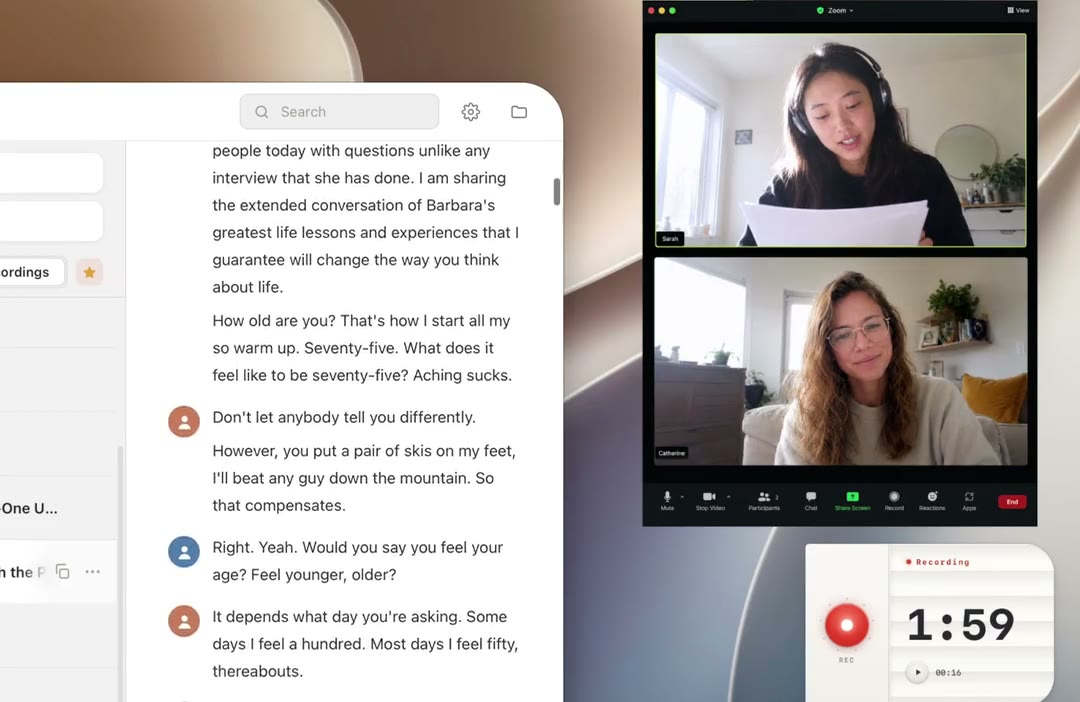
HoldSay captures the call from your computer, so no remote participant needs to join.
Where do HoldSay and Otter.ai process meeting audio?
Otter's privacy policy describes collecting audio recordings, transcriptions and speaker information to provide the service. It uses cloud infrastructure and may use deidentified recordings and transcripts to improve proprietary models. Organizations should review current controls and contractual terms for their plan.
HoldSay runs speech recognition, speaker labels, summaries and transcript cleanup on the computer. The resulting archive remains directly accessible as local files, without requiring an automatic cloud copy or browser workspace.
Direct ownership lets you choose disk encryption, backup location, access controls and deletion policy without placing the archive under another service account. Otter provides centralized administration for teams that prefer a managed cloud security model. HoldSay is designed for people and organizations that want ownership and policy control to remain with the computer owner.
Meeting minutes and subscription cost
Otter Basic currently includes 300 transcription minutes each month and three lifetime file imports. Pro is listed at $16.99 monthly, or $8.33 each month with annual billing, and includes 1,200 minutes and ten imports. Business is listed at $30 monthly, or $19.99 with annual billing, with higher limits and concurrent meetings. Plan details can change, so verify them on Otter's pricing page.
HoldSay has no monthly minute allowance because the computer performs the work. It costs $69.99 for one Mac or Windows device seat, with a limited $39.99 early bird price. The trial lasts two days, enables every feature and needs no card.
Long recordings use local storage, electricity and processing time, but they do not consume a monthly transcription allowance. For someone who transcribes many hours on one computer, that turns an unpredictable usage bill into a predictable ownership cost.
What happens during a HoldSay meeting
Start recording from the floating card. HoldSay records your voice through the microphone and the voices of other people coming from the video call on your computer. HoldSay LiveScribe writes the transcript while the conversation is happening, so most of a long transcript is already ready when you stop. After you provide a short voice sample for a known speaker, HoldSay can use that local voice profile to label their parts of the conversation. The app can also create a summary on your computer.
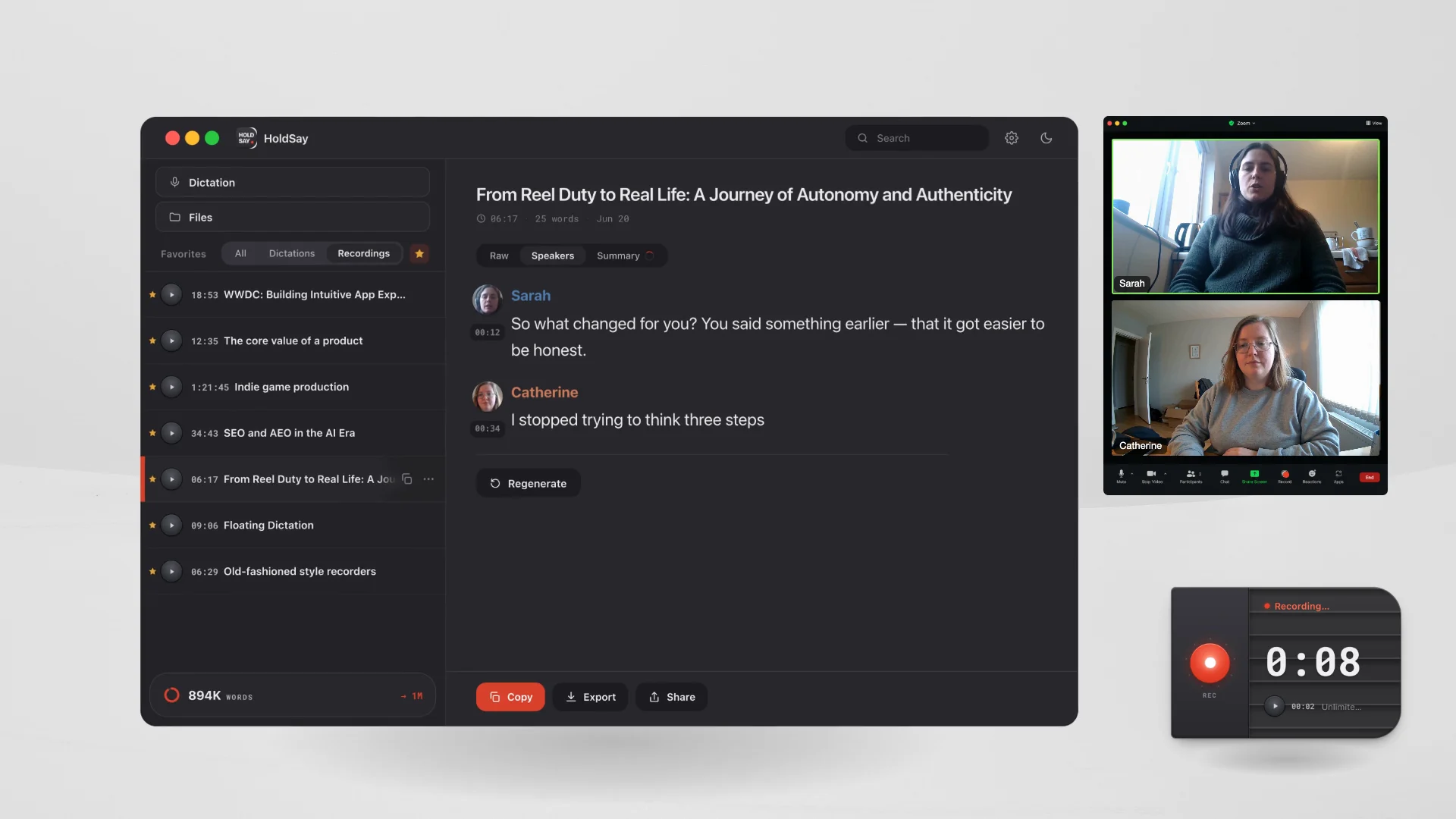
Local voice profiles can organize the transcript into speaker turns without a cloud account.
You can test the local path yourself. Complete the initial model download, disconnect Wi-Fi, record a short computer clip and create notes. Then decide whether the local output is good enough for your real meetings.
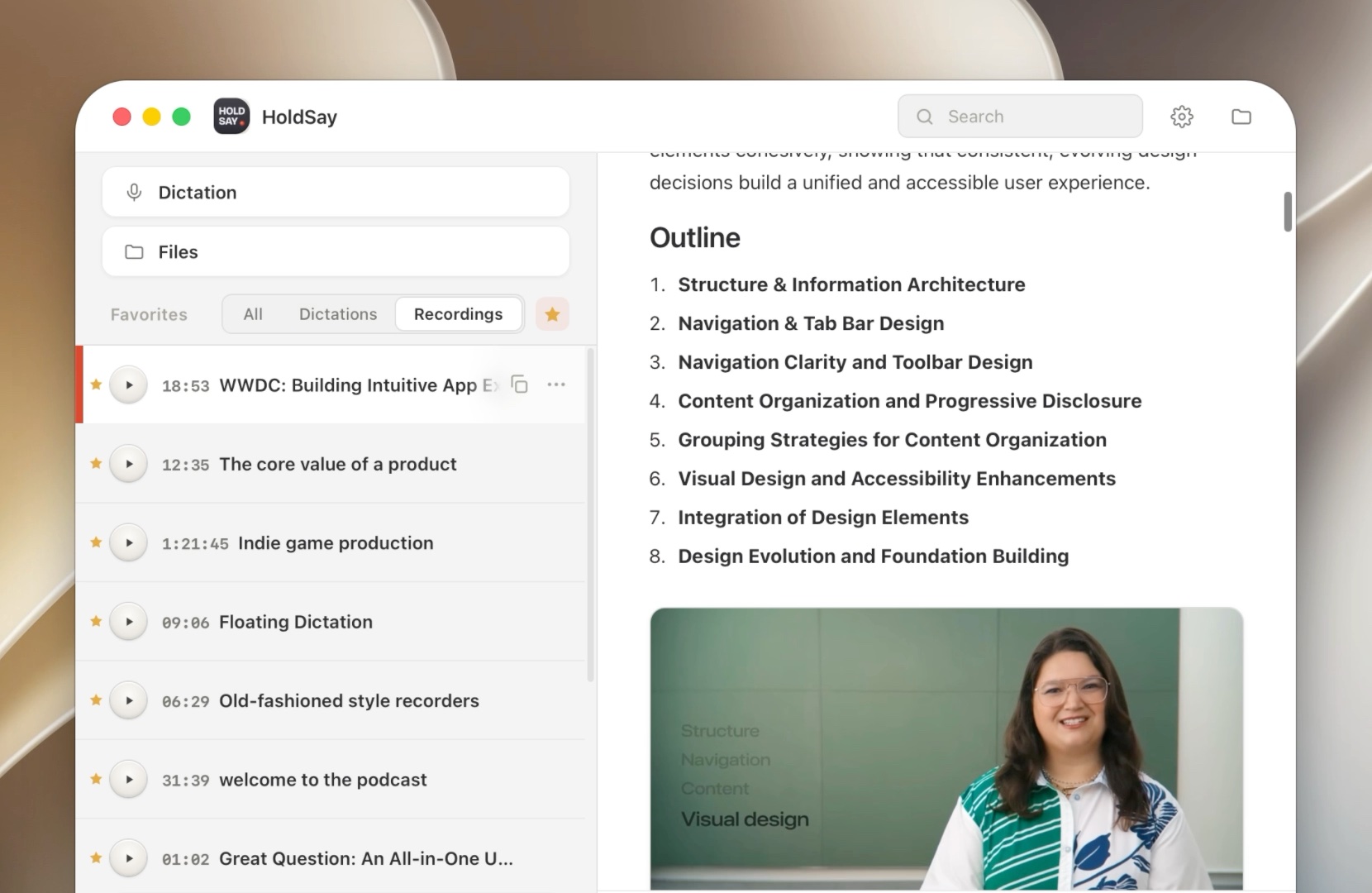
The recording, transcript and structured summary remain together in the local note.
Which one should you choose?
Choose HoldSay if you want to own the complete meeting record, avoid a participant bot, process content locally or transcribe without a monthly minute allowance. Afterward, you can export and share the original audio, transcript and summary while keeping the permanent archive on your computer. HoldSay also includes desktop dictation and local audio or video file transcription in the same one time purchase.
Choose Otter if delegated attendance, live collaboration inside a shared cloud workspace, mobile access, integrations or centralized team administration justify a recurring plan. Pro is $16.99 per user each month, or $8.33 with annual billing. Business is $30 per user each month, or $19.99 with annual billing.
Whichever product you choose, follow the consent rules for your location and organization. HoldSay gives you direct technical control of capture, storage, export and deletion. Pair that control with a clear recording policy for your team and guests.
FAQ
Is HoldSay a good Otter.ai alternative?
Yes. HoldSay records meetings you attend without a participant bot, processes the recording locally and has no monthly transcription allowance. It also includes desktop dictation and local file transcription. After a meeting, you can export and share the audio, transcript and summary while keeping the source archive on your computer. Otter may be a better fit if delegated meeting attendance and live collaboration inside a shared cloud workspace are more important to your team.
Does HoldSay add a bot to meetings?
No. HoldSay records both sides of a conversation from your own computer. It captures your voice through the microphone and the voices of other people playing through Zoom, Google Meet, Teams or another call app. HoldSay does not join the meeting as a participant.
Can HoldSay attend a meeting for me?
HoldSay records meetings you attend and keeps the complete audio, transcript and summary under your control on your computer. It does not delegate attendance to a cloud bot. Otter Notetaker can join supported meetings when delegated attendance is worth a cloud workflow and recurring plan.
Where does Otter process meeting audio?
Otter is a cloud service. Its privacy policy describes collecting audio recordings, transcriptions and speaker information and using cloud providers to deliver the service.
Does HoldSay limit monthly transcription minutes?
No. HoldSay has no monthly transcription limit. Your computer processes each recording, and the resulting files remain in your local library.
Was this comparison accurate? If something here does not match what you see, tell us at support@holdsay.com and we will fix the page.