What is HoldSay?
HoldSay is a desktop voice app for Mac and Windows. It turns speech into text wherever your cursor is, records your voice and the other people in an online meeting without adding a participant bot, and transcribes existing audio or video files.
Dictation, recording, transcription, speaker labels and summaries run on your own computer. There is no monthly word or transcription minute allowance, and HoldSay is sold as a one-time purchase per device seat.
What are the system requirements for HoldSay?
HoldSay runs on Apple Silicon Macs (M1 or later) with macOS 14 or later, and on x64 PCs running Windows 10 or Windows 11. Intel Macs are not supported. Windows on ARM is not supported in version 1.
On first launch the app downloads its speech models once; after that everything runs locally, and an offline laptop works fine. Both platforms include the same core workflow: dictation, meeting recording, file transcription and summaries.
Does HoldSay work offline?
Yes. HoldSay is built to work offline. After a one-time model download on first launch, dictation, meeting recording, transcription, speaker labels and summaries all run on your own Mac or Windows PC, with no cloud transcription server involved.
You can turn Wi-Fi off mid-meeting and everything keeps working, which also means flights, client sites and locked-down networks are fine. Your audio and transcripts never leave your computer. The app only goes online for small things such as license checks and automatic updates, never to process your voice.
Can I dictate into any app?
Yes. Put the cursor where you want the text, then use HoldSay in either of two ways: hold the shortcut while you speak and release it when you finish, or tap once to start and tap again to stop. Your words land in the active app with punctuation already in place.
HoldSay works in the apps you already write in on Mac and Windows, including ChatGPT, Claude, Notion, Gmail, Google Docs, Word, Slack, Discord, Telegram, WhatsApp and iMessage. There are no word counts or monthly caps, and every dictation is also saved to your HoldSay library.
Can HoldSay record both sides of a meeting without a bot joining?
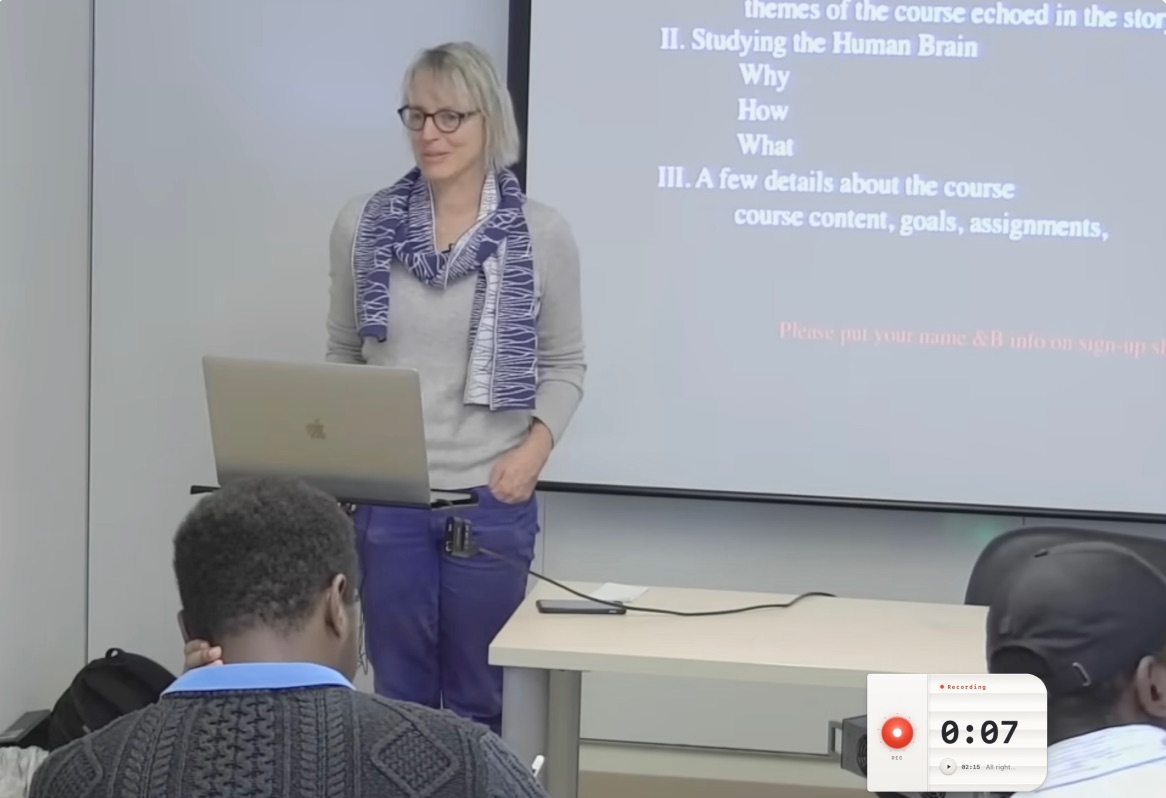
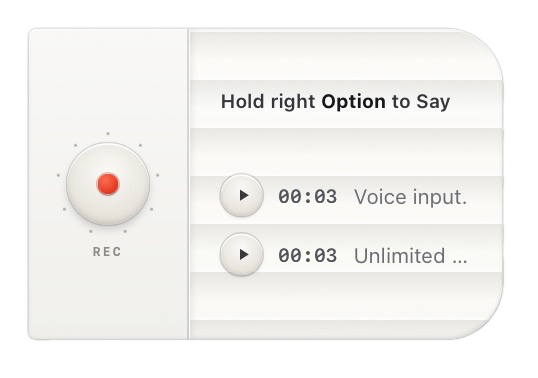
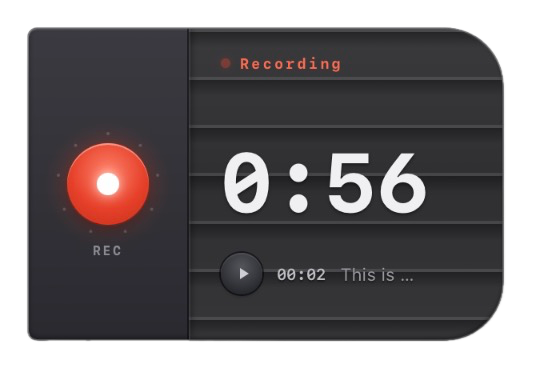
Yes. HoldSay records without a bot. One click on the floating card captures your computer audio and your microphone together, locally, so it hears both sides of a Zoom, Google Meet or Teams call without anything joining the meeting or appearing to the other participants.
The same click covers in-person meetings and lectures, online or offline. When you stop, you get a transcript with speaker labels and a structured summary with the decisions and action items pulled out, and there is no cap on how many meetings you record. Here's how the card records a call.
Can HoldSay tell different speakers apart?
Yes. HoldSay separates speakers automatically and labels who said what, so interviews, meetings and lectures come out as a labeled script instead of one wall of text. It recognizes your own voice automatically, and you can enroll a colleague's voice once and they stay labeled in every recording after that.
Renaming a speaker updates the note in your library, and separation also works on audio files you import. Speaker identification runs on your own computer like everything else, so nobody's voice is uploaded anywhere to be recognized.
Can HoldSay transcribe an existing audio file?
Yes. Drag an audio or video file into HoldSay, or a whole folder of them, and everything is transcribed on your own computer. On Mac you can also right-click a file in Finder and send it to HoldSay from there.
Imported files get the same treatment as live recordings: speaker separation, a clean transcript and a structured summary, in any of the 30 supported languages. Because transcription is local and unlimited, clearing out years of old voice memos or interview recordings costs nothing extra.
What languages does HoldSay support?
HoldSay transcribes 30 languages on-device: English, French, German, Spanish, Portuguese, Italian, Dutch, Chinese, Cantonese, Japanese, Korean, Hindi, Thai, Vietnamese, Indonesian, Malay, Filipino, Russian, Polish, Czech, Hungarian, Romanian, Greek, Macedonian, Swedish, Danish, Finnish, Arabic, Persian and Turkish. No language is locked behind a higher tier.
HoldSay can recognize multiple supported languages in one dictation, even within the same sentence, without making you switch languages manually. The same language support works across dictation, meeting recording and file transcription.
Can I add my own words and names to the dictionary?
Yes. HoldSay has a custom dictionary for names, jargon, brand terms and anything else the world spells unusually. Add entries one by one in Settings, or import hundreds at once from a CSV file.
The on-device speech engine reads your dictionary while it transcribes, so a colleague's surname, a drug name or your own product comes out right every time, whether you are dictating or transcribing a recording. The dictionary stays on your computer with everything else, and you can edit or remove entries whenever you like.
Do I have to keep holding a key while I dictate?
No. HoldSay supports both hold-to-talk and hands-free dictation. For a quick sentence, hold the shortcut while you speak and release it to finish.
For a longer thought, tap the shortcut once to start, let go, and tap it again when you are done. Both interactions use the same on-device transcription and place the finished text at your cursor, so you can choose whichever feels natural each time.
How much does HoldSay cost?
HoldSay is a one-time purchase of $69.99 per device seat, currently $39.99 as an early-bird price. Each seat activates one Mac or Windows PC, and a single license key can hold 1, 2 or 3 seats in any mix of the two platforms.
There is no subscription, no word or minute cap and no feature tier above it: one payment covers unlimited dictation, meetings and transcription, with updates delivered automatically for free. Download HoldSay.
 Granola