We built one floating card for dictation, recording and meeting notes: HoldSay

HoldSay is one floating card on your Mac or Windows PC that dictates, records, transcribes and summarizes, with the speech model running on your own machine and a price you pay once. This is why we built it that way: what the subscriptions cost, what two months of our own use look like, and who the card is for, and who it is not.

The card dictates, and it records. On the left, it types what you say into any app. On the right, it records calls and meetings.
The subscriptions we were paying for
Legolas and I have been indie developers for six years, and voice is the part of software we keep coming back to. Talking is the fastest way most people get a thought out of their head, and we have always believed it would become a real way to work.
Earlier this year we sat down and listed what we were paying to talk to our computers. A dictation tool for getting text into apps. A meeting-notes tool for calls. Both were subscriptions, and both, once we read their documentation instead of their landing pages, were explicit about where the audio goes.
These are quotes from each vendor’s own pages, checked on 5 August 2026. We quote rather than paraphrase because the exact wording is what matters.
| Tool | What their own pages say |
|---|---|
 Wispr Flow Wispr Flow(dictation) |
Flow Pro costs $15 per user per month, or $12 per user per month billed annually; the free tier is capped at 2,000 words a week on desktop. The security FAQ says Wispr Flow runs entirely in the cloud, that audio is streamed to the backend and not persisted locally, and that under default settings audio and transcription data may be used to evaluate, train, and improve Wispr’s models. wisprflow.ai/pricing · docs.wisprflow.ai · security & compliance FAQ |
 Granola Granola(meeting notes) |
Business costs $14 per user per month for unlimited meeting notes and history. Its security page says Granola uses best-in-class transcription providers (like Deepgram and Assembly) and AI providers (like OpenAI and Anthropic), keeps notes in a US-hosted AWS Virtual Private Cloud, and trains on your anonymized dataunless you opt out. granola.ai/pricing · granola.ai/security |
Two tools at list price come to $29 a month, $348 a year. Three years of that is $1,044, and if you cancel at the end of it you leave with nothing installed and nothing saved locally. Both companies, to be fair, describe careful infrastructure, and neither hides any of this. The problem was never the quality of these tools. It is the shape of the deal: rent the software forever, and let your voice leave the building every time you use it. We wrote a full HoldSay vs Wispr Flow comparison.
What the HoldSay card does
HoldSay is a small card that floats above your other windows. It does four jobs.
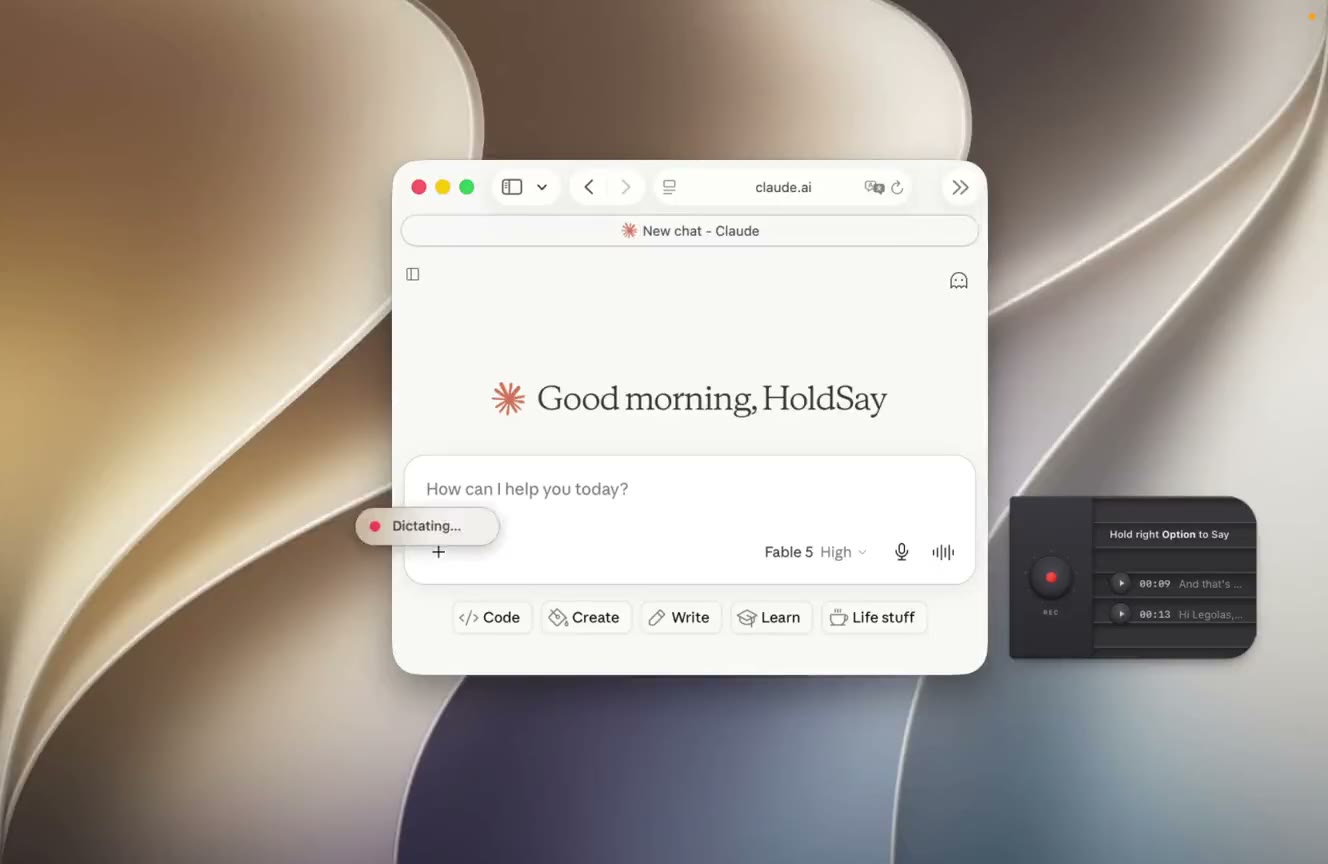
This is where the card spends its day, parked at the edge of the screen while the work happens behind it.
- Dictate. Hold a key, speak, release. The text lands at the cursor in whatever app is in front, from Mail to a code editor.
- Record. A lecture, an interview, a call. The system audio tap records both sides of a call without a bot joining it, and LiveScribe transcribes while the recording is still running.
- Turn recordings into notes. Speaker labels come from voice profiles that never leave your computer, summaries run on device, and a Polish pass removes filler words without rewriting what you meant.
- Transcribe files. Drag audio or video onto the card, or right-click in Finder. Drop a whole backlog at once, a season of podcasts or a folder of lectures, and every file comes out as the same plain folder of audio and text.
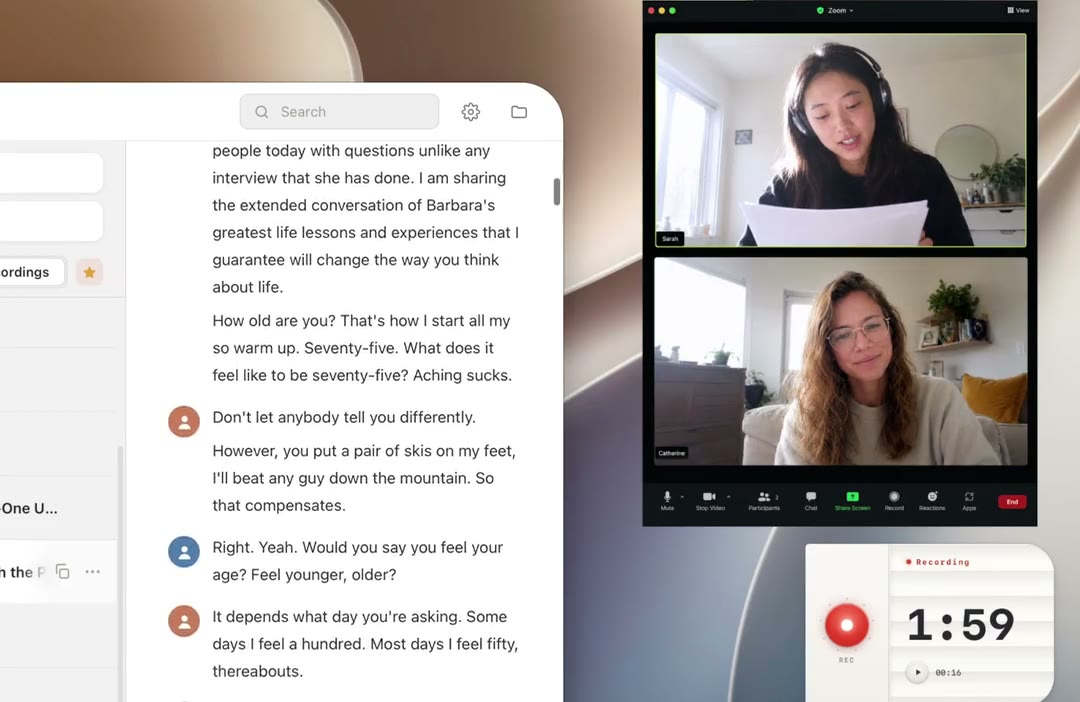
A Zoom call at the 1:59 mark, with the transcript writing itself on the left.
Everything the card makes lands in a plain folder, ~/HoldSay Library by default: one dated folder per note, holding the audio, the transcript and a meta.json. There is no database and no account. It dictates in 30 languages, all on-device, and a custom dictionary takes names and jargon from a CSV if you have a list.

An 18-minute recording, opened. The outline on the right was written from its transcript.
How HoldSay compares to the subscription tools
Five tools, ours included. The facts below are from each vendor’s own pages, checked on 5 August 2026, and where a limit applies to the free tier rather than the paid one, the table says so.
| Tool | What it does | Price | Where your voice goes |
|---|---|---|---|
| Wispr Flow |
|
$15 per user per month, or $12 billed annually. Free tier: 2,000 words a week | Streamed to the backend, and under default settings it may be used to train their models |
 Typeless Typeless |
|
$12 per user per month billed yearly, $30 monthly. Free tier: 8,000 words a week | Processed in the cloud; they promise zero retention and no training on your data |
| Granola |
|
Free basic plan with limited history. Business: $14 per user per month, unlimited notes | Transcribed and summarized by cloud vendors, stored on AWS in the US; trains on your anonymized dataunless you opt out |
 Plaud Plaud |
|
$159 and up for the device, then 300 transcription minutes a month free; unlimited at $19.99 per month | Uploaded to their cloud for transcription and summaries |
 HoldSay HoldSay |
|
$39.99 once, early bird. Free two-day trial. Unlimited everything | Nowhere. Audio, recordings and transcripts stay on your computer. No account, no training on your data |
Three fairness notes, because a comparison you cannot trust is worthless. Typeless really does promise zero retention and no training, which is as good as a cloud tool gets; it is still a cloud tool. Granola, like HoldSay, puts no bot in the meeting; the difference is where the audio lives afterwards. And Plaud is a different category: excellent hardware for a physical room, but it will not type into your apps or record a Zoom call on your Mac.
Read the second column twice. Wispr Flow and Typeless do dictation and nothing else; Granola and Plaud do meetings and nothing else. The row that does both jobs is also the only row where your voice never leaves the device.
A subscription is what software costs when it has servers to feed. We do not run transcription servers, so we charge once.
Does HoldSay work offline?
The mechanism is one sentence: the HoldSay Dictation model runs on your own computer, so there is no upload step to describe.
Your audio, recordings and transcripts stay on your computer and are never uploaded.
Precisely means we owe you the exceptions. HoldSay uses the network three times: to download its model once on first launch, to verify your license so it is not running on more devices than the purchased seat count, and to check for updates. None of these carries your audio, recordings, transcripts or summaries. There is no sign-up and no login.
You do not have to take our word for any of this. Install it, let the model download, then turn on Airplane Mode and dictate. It still types what you say. That test works on any dictation app, and it is the first thing we run on our own builds.
How fast is HoldSay dictation?
Across 221 consecutive dictations logged on a MacBook Air M3 (24 GB, macOS 26.2) on 3 and 4 August 2026, measured from releasing the hotkey to the text being on screen:
The wait is the part we engineered away, even on a fanless MacBook Air. Hold the key past about twenty seconds and the app starts transcribing in the background while you keep talking, so even a two-minute thought lands almost as soon as you let go. Recordings scale the same idea: LiveScribe transcribes during the session, so a two-hour interview is already transcribed when you press stop. The 221 dictations above were logged on one machine over two days, and that is the whole sample.
This next screenshot is my own stats page, and it says more about the product than any benchmark. In about two months I have dictated and recorded 840,904 words with it. I kept a diary for five years and never wrote that much. Dictation is the high-frequency habit: 5,703 dictations, more than a hundred on a typical day, for emails, messages, prompts and drafts. Recording is the long one: 281 sessions of calls, interviews and podcasts, some of them hours long.

My own stats page after two months. The red squares are days I used it; there are not many blank ones.
Two engineering numbers explain how this stays practical. The installer is about 107 MB, and it stays that small because the models download on first use instead of shipping inside the app; the HoldSay Dictation model alone is about 2 GB on disk. Minor updates arrive as deltas rather than full packages; recent ones have been 0.7 to 1.6 MB to download. And dictation and recording share a single resident model, so a Mac with 8 GB of memory stays comfortable.
Who this is for, and who it is not
It is for you if your work happens in text and your thoughts move faster than your fingers. Mine do. On a normal day I dictate into whatever window is in front of me, and by the evening the habit has written more than I used to type in a week. The people who get the most out of it:
- The heavy AI user. Long prompts for Claude or ChatGPT, the kind with full context that nobody would ever type out, said in one go.
- The inbox dweller. Replies in Mail, answers in Slack, a paragraph of a document. Each one is thirty seconds of speaking instead of three minutes at the keyboard, and there are dozens of them every day.
- The interviewer, the student, the consultant. A two-hour call ends and the transcript is already there, speakers labelled, and nobody had to admit a bot to the meeting.
- Anyone whose words were never meant for a server. The contract you are still negotiating, the diagnosis you are reading about at midnight, the idea you have not told anyone yet.
- The buy-once person. Pay $39.99 once and the tool is yours, updates included, instead of renting it by the month forever.
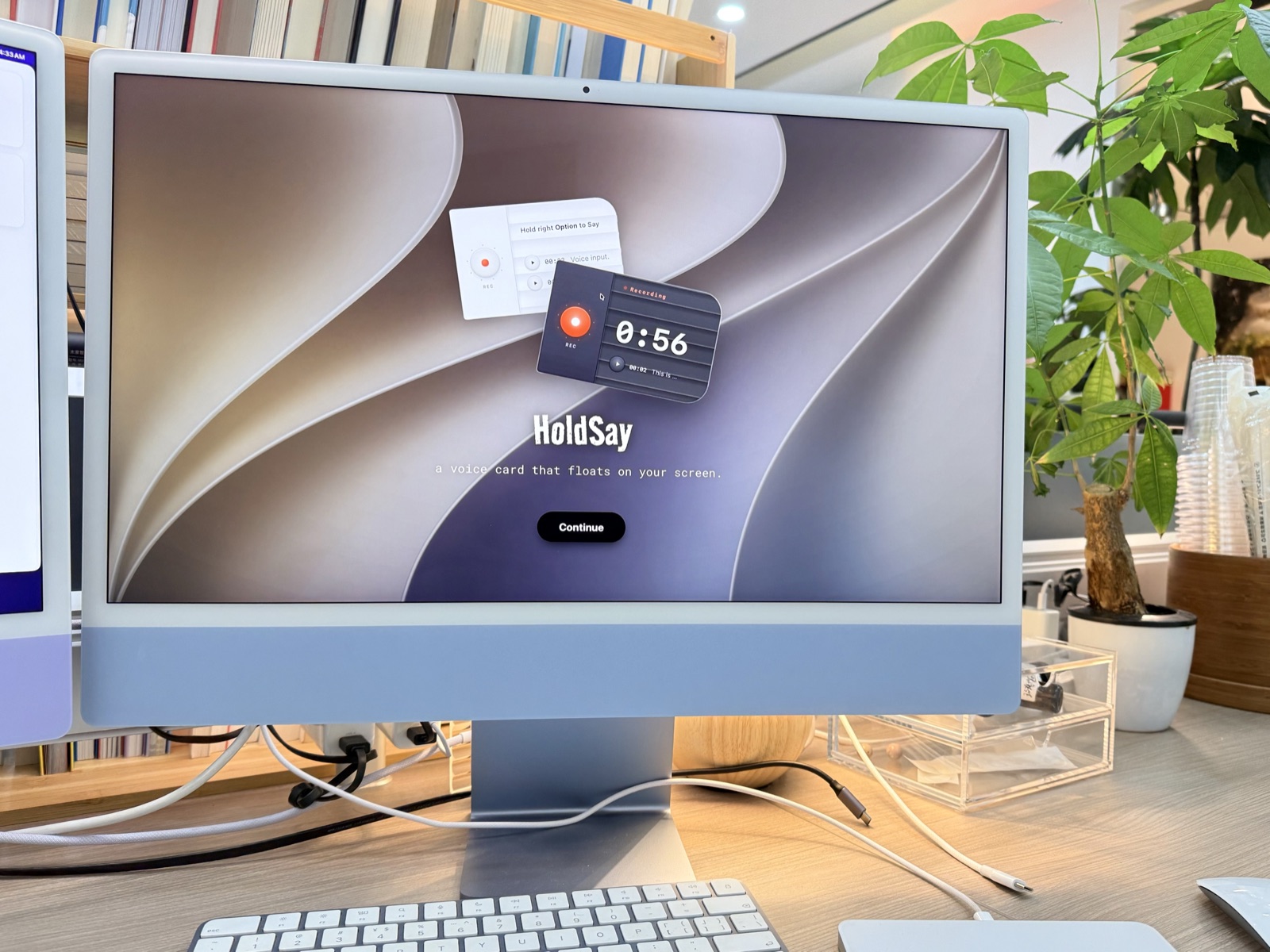
The 8 GB iMac in our office. HoldSay runs on it all day, every day.
It is not for everyone, and the three cases are easy to list:
- Intel Macs. The speech model needs Apple Silicon, on macOS 14 or later. (On the PC side there is a Windows 10/11 x64 version now, ARM laptops excluded.)
- Teams that expect a shared, self-syncing library. Nothing here syncs; your notes live on one computer unless you move the folder.
- Work that lives in a browser on someone else’s computer. HoldSay is a desktop app for Mac and Windows, and we chose that on purpose.
If you recognized yourself in the list above, the two-day trial has every feature on and asks for no card.
Questions people ask next
Does HoldSay need an internet connection?
Only for three things, and none of them touches your audio: the one-time model download on first launch, license verification, and update checks. Dictation, recording, transcription and summaries all run on your own computer.
What does HoldSay cost?
One payment per device seat, no subscription: $39.99 while the early-bird price lasts. Each seat activates one Mac or Windows PC, and multi-seat keys can mix both. There is a free two-day trial with every feature on, and no card is required.
What do I need to run HoldSay?
On Mac: Apple Silicon (M1 or later) with macOS 14 or later. Intel Macs are not supported. On Windows: Windows 10 or 11 on x64; Windows on ARM is not supported in version 1.
What languages does HoldSay support?
Thirty, all on-device, none locked behind a higher tier. The full list is in the FAQ.
Where do my recordings and transcripts live?
In ~/HoldSay Library by default: one dated folder per note, holding the audio, the transcript and a meta.json. You can move the library in Settings.
These are the ones we hear most. The full list lives in the FAQ.
Was this page accurate? If something here doesn’t match what you see on your Mac, tell us at support@holdsay.com and we’ll fix the page.